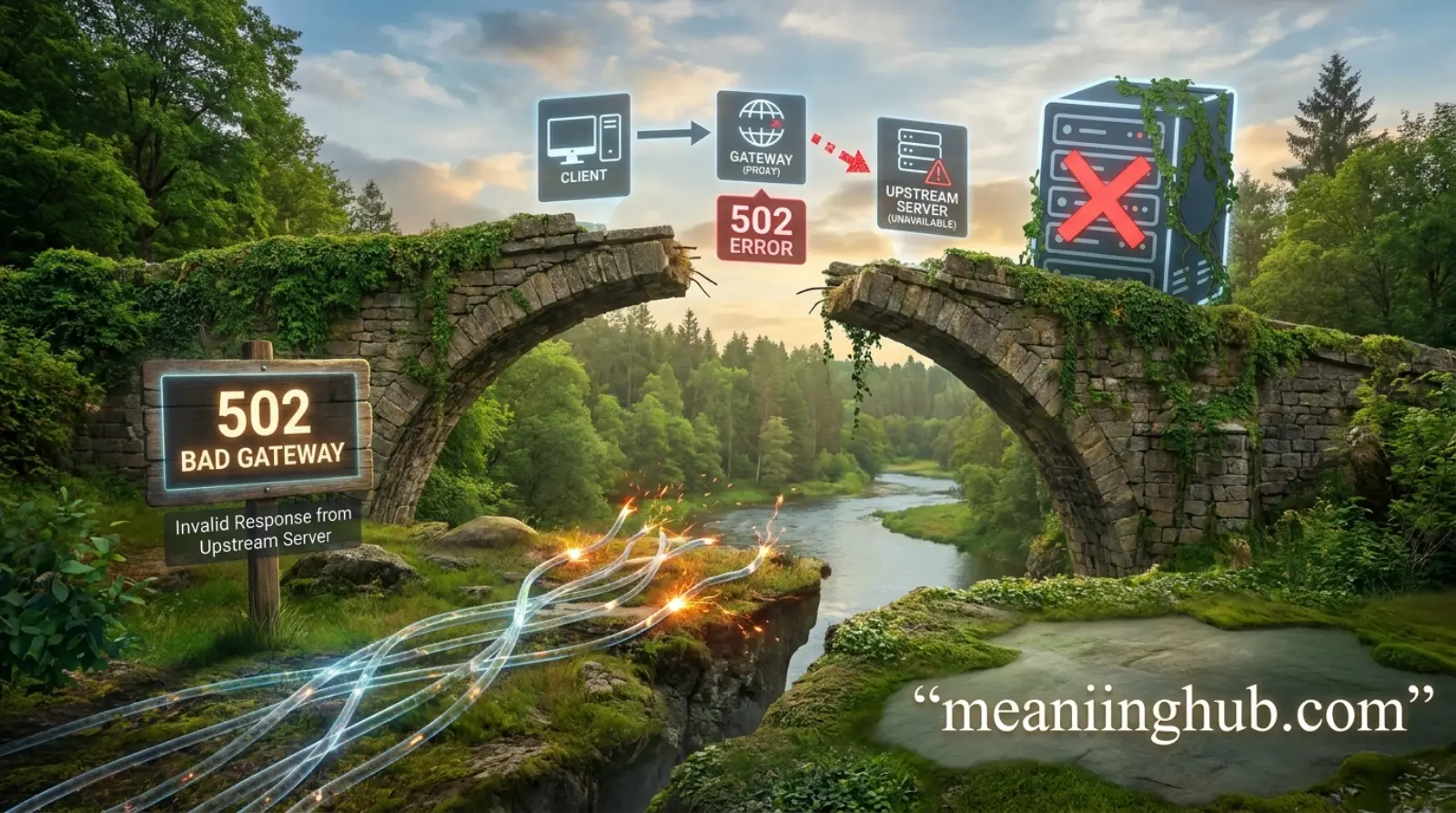
502 Bad Gateway Meaning is one of the most searched error messages because it often appears when people try to open a website that suddenly stops working. Seeing this error can be frustrating, especially if you do not know what caused it or if the problem is on your side or the website’s server.
The good news is that a 502 Bad Gateway error is usually temporary. In most cases, it happens because two servers fail to communicate properly. Understanding what this error means can help you decide whether you should refresh the page, wait a few minutes, or contact the website owner.
Quick Answer:
A 502 Bad Gateway error means that one server received an invalid response from another server while trying to load a webpage. It is usually a server-side issue, not a problem with your device.
What Does 502 Bad Gateway Mean?
A 502 Bad Gateway error is an HTTP status code that indicates a communication problem between servers.
When you visit a website, your browser sends a request to the website’s server. Sometimes another server, such as a proxy server, gateway, or content delivery network (CDN), is involved before the request reaches the main server.
If the gateway server receives an invalid or incomplete response from the main server, it returns a 502 Bad Gateway error instead of loading the webpage.
In simple words, the servers could not communicate successfully.
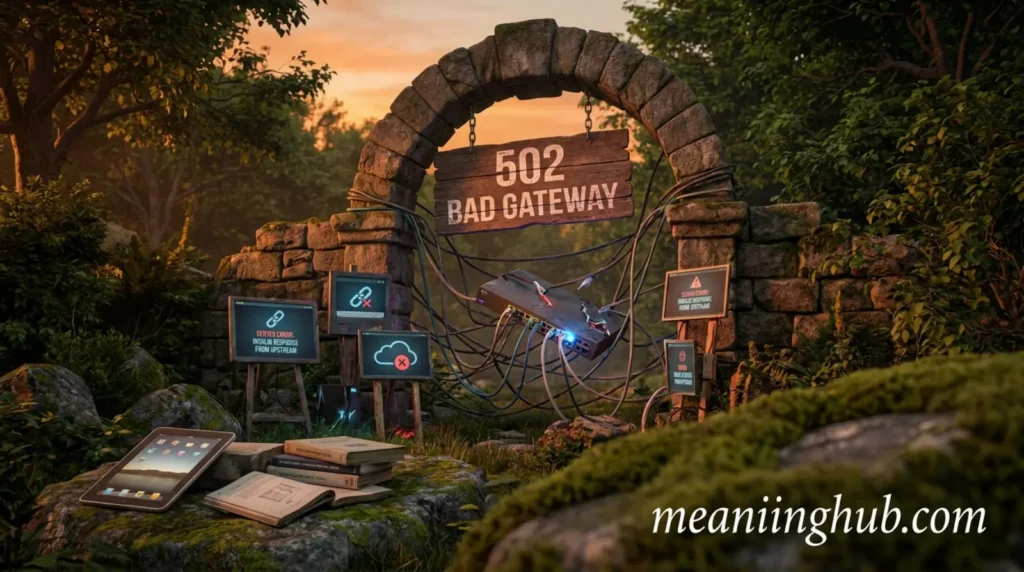
502 Bad Gateway Full Form
Unlike internet slang, 502 is not an abbreviation.
Here’s what it means:
- 502 is an HTTP status code.
- Bad Gateway describes the communication failure between servers.
So, the full meaning is:
502 Bad Gateway = The gateway or proxy server received an invalid response from the upstream server.
Why Does a 502 Bad Gateway Error Happen?
Several issues can trigger this error.
Common causes include:
- Server overload
- Temporary server downtime
- Network connectivity problems
- Incorrect DNS settings
- Firewall blocking communication
- Problems with a CDN like Cloudflare
- Faulty website plugins
- Server software crashes
- Maintenance on the hosting server
Most of these problems occur on the website’s server rather than on the visitor’s device.
Is 502 Bad Gateway an Error on My Computer?
Usually, no.
A 502 Bad Gateway error almost always originates from the website’s server.
However, a few local issues may occasionally contribute, such as:
- Cached browser data
- Temporary internet connection issues
- Incorrect DNS cache
- VPN or proxy server problems
Trying a few simple troubleshooting steps can help confirm whether the issue is local or server-related.
How to Fix a 502 Bad Gateway Error
If You Are Visiting a Website
Try these solutions:
- Refresh the webpage.
- Wait a few minutes.
- Clear your browser cache.
- Restart your browser.
- Restart your internet connection.
- Disable your VPN temporarily.
- Flush your DNS cache.
- Try another browser.
- Visit the website using another device.
If none of these work, the website owner likely needs to fix the server.
If You Own the Website
Website owners should check:
- Server health
- Hosting status
- Error logs
- Reverse proxy configuration
- CDN settings
- DNS records
- Firewall rules
- Application errors
- Recent updates or plugin conflicts
Many hosting providers also offer server monitoring tools that help identify the exact issue.
Is 502 Bad Gateway Dangerous?
No.
A 502 Bad Gateway error is not a virus or malware.
It simply means the website cannot complete your request because of a server communication issue.
The error itself does not harm your computer.
However, repeated 502 errors on your own website may affect:
- User experience
- SEO performance
- Search engine rankings
- Customer trust
- Website availability
That is why website owners should fix recurring errors as quickly as possible.
Where Is 502 Bad Gateway Commonly Seen?
You may encounter this error on:
- News websites
- Online stores
- Banking websites
- Social media platforms
- Government websites
- Business websites
- Blogs
- Streaming services
Large websites can also display this error during periods of unusually high traffic.
Different Versions of the 502 Error
Different websites and servers may display slightly different messages.
Some common examples include:
| Error Message | Meaning |
|---|---|
| 502 Bad Gateway | Standard HTTP error |
| HTTP Error 502 | Same server communication issue |
| 502 Proxy Error | Proxy server failed |
| Error 502 | General version |
| Bad Gateway | Simplified version |
| Temporary Error (502) | Usually indicates temporary server failure |
| 502 Service Temporarily Overloaded | Server is overwhelmed |
Although the wording changes, the underlying issue remains the same.
Real-Life Examples
Example 1: Online Shopping
You try to purchase a product during a holiday sale.
Instead of the checkout page, you see:
502 Bad Gateway
The server is likely overloaded because thousands of shoppers are visiting at the same time.
Example 2: News Website
Breaking news attracts millions of visitors.
The website cannot handle the traffic, causing a 502 error.
Example 3: Business Website
A company updates its server.
During maintenance, visitors temporarily receive a 502 Bad Gateway message.
Example 4: Social Media
You open a social media app, but it cannot connect to the server.
The app displays a 502 error until the servers recover.
502 Bad Gateway vs Similar HTTP Errors
| Error Code | Meaning | Main Cause |
|---|---|---|
| 500 | Internal Server Error | General server problem |
| 501 | Not Implemented | Server does not support the request |
| 502 | Bad Gateway | Invalid response from another server |
| 503 | Service Unavailable | Server temporarily unavailable |
| 504 | Gateway Timeout | Server took too long to respond |
Understanding these differences helps identify the real issue more quickly.
Why People Search for “502 Bad Gateway Meaning”
People often search this term because they want to know:
- Why a website is unavailable
- Whether their internet is broken
- If the website has been hacked
- How to fix the error
- If they should worry
- What the error actually means
Since the message appears without much explanation, users naturally look for a simple answer.
Can a 502 Error Affect SEO?
Yes.
If a website repeatedly returns 502 errors, search engines may have trouble crawling its pages.
Possible SEO effects include:
- Lower crawl efficiency
- Temporary deindexing
- Poor user experience
- Higher bounce rate
- Reduced search visibility
Occasional 502 errors are usually not a major concern, but persistent problems should be fixed quickly.
Is It Safe to Refresh the Page?
Yes.
Refreshing the page is usually the first recommended step.
Many 502 errors are temporary and disappear within a few seconds or minutes after the server recovers.
Can You Prevent a 502 Bad Gateway Error?
Website owners can reduce the risk by:
- Using reliable hosting
- Monitoring server performance
- Updating server software
- Configuring reverse proxies correctly
- Optimizing website performance
- Using load balancing
- Monitoring traffic spikes
- Regularly checking server logs
While no website can eliminate every server issue, these practices significantly reduce downtime.
Common Myths About 502 Bad Gateway
Myth 1: My Computer Has a Virus
False.
The error usually comes from the website’s server.
Myth 2: My Internet Is Always the Problem
False.
Most 502 errors occur on the server side.
Myth 3: The Website Has Been Hacked
Not necessarily.
The error usually indicates a communication failure, not a security breach.
Myth 4: Refreshing Makes Things Worse
False.
Refreshing is often the quickest way to see if the server has recovered.
FAQs
What does 502 Bad Gateway mean?
It means one server received an invalid response from another server while trying to load a webpage.
Is 502 Bad Gateway my fault?
Usually not. The problem is typically with the website’s server.
Can I fix a 502 Bad Gateway error?
Visitors can refresh the page, clear cache, or wait a few minutes. Website owners need to resolve server issues.
Is a 502 Bad Gateway error permanent?
No. Most 502 errors are temporary and disappear once the server starts responding correctly.
Does a 502 Bad Gateway error affect SEO?
Yes. Frequent 502 errors can hurt crawling, indexing, and user experience if they continue for an extended period.
Is 502 Bad Gateway the same as 404?
No. A 404 error means the requested page cannot be found, while a 502 error indicates a communication problem between servers.
Conclusion
Understanding the 502 Bad Gateway Meaning helps you recognize that the error is usually caused by a communication failure between servers rather than a problem with your computer. In most cases, simply refreshing the page or waiting a few minutes is enough for visitors, while website owners should investigate server logs, hosting performance, and network configurations to resolve the issue.
Knowing the difference between a 502 error and other HTTP status codes also makes troubleshooting easier. If you manage a website, addressing recurring 502 errors quickly can improve user experience, maintain search engine visibility, and keep your site running smoothly.

Alexander Ford is a passionate writer who specializes in modern text slang, internet culture, and digital communication trends. He is known for his simple, engaging, and reader-friendly writing style that makes online language easy to understand. With a love for research and creativity, Alexander enjoys helping readers stay updated with the latest social media expressions and texting terms.